What is Rail&Fly by Deutsche Bahn?
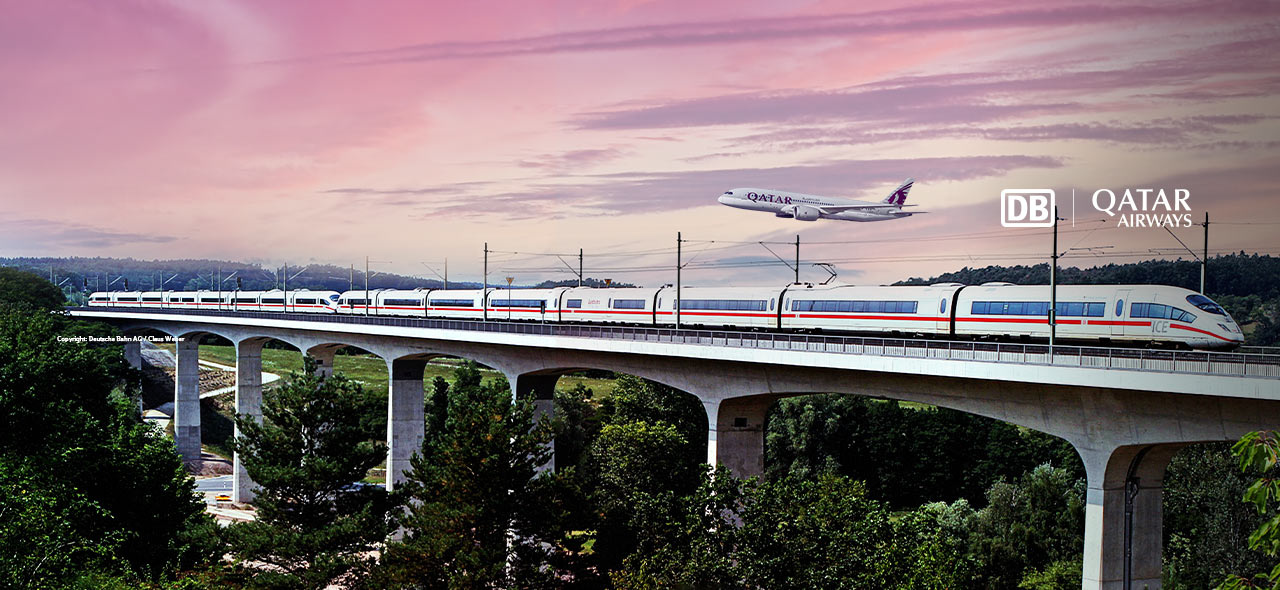
Rail&Fly is offered in partnership with Deutsche Bahn (DB), Germany's leading rail-travel company. Passengers flying with Qatar Airways can conveniently travel by train from any one of the more than 5,600 DB railway stations to the airport – and back again – with Rail&Fly. There is no need to commit to a particular train during the booking process. Instead, you can simply choose the best train connection to get you to your flight when you check in at www.rail-checkin.com. Rail&Fly offers a flexible and stress-free option for travelling to and from the airport – all while helping protect the environment.
German airports are excellently connected to the DB rail network. With 180 direct long-distance train connections and more than 100 destinations within Germany and in neighbouring countries, Frankfurt am Main Airport, for example, is one of Germany's most important railway stations for long-distance travel.
To find out more about Rail&Fly, please watch this video (Copyright: DB Fernverkehr AG).
Advantages of booking Rail&Fly:
- Travel from any one of the more than 5,600 DB railway stations to one of the German airports served by Qatar Airways, as well as to the international airports in Zurich, Brussels and Amsterdam – and back again on your return.
- Free seat reservation and access to DB lounges for Rail&Fly passengers with 1st class tickets
- Free choice of train – choose whether to take the high-speed ICE or to travel on intercity (IC) or local trains at no extra cost
- Access to Rail&Fly is available on the day of air travel as well as one day prior to departure and one day after landing back in Germany
- The train ticket to/from the airport can be used flexibly on the chosen route on the selected day of travel, i.e. it is not tied to a specific train
Before you book:
How to add Rail&Fly when searching for flights on qatarairways.com
Select railway stations in the flight-search field and enter "Rail And Fly" or "QYG" as the departure or arrival location to include Rail&Fly and the respective fare in your booking automatically. Next, select your destination, the number and type of passengers, the class and your preferred travel dates as usual.
Rail&Fly can only be booked in conjunction with a flight and cannot be added retrospectively.
When you book:
How Rail&Fly appears on the booking
For technical reasons, the itinerary displays fictitious train numbers (starting with W2), a generic place of departure ("QYG" to represent all DB stations) and fictitious departure and arrival times for train connections. You select the actual place of departure and arrival and a real train connection when you check in at www.rail-checkin.com. Please select your Rail&Fly connection carefully to ensure that you arrive at the airport in good time, at least 2 hours prior to departure.
Please pay particular attention to your departure (Frankfurt am Main/Munich/Berlin/Dusseldorf) and arrival airports. When you book and plan your trip, please note that the departure and arrival airports may be different for Rail&Fly bookings.
Once your booking is complete:
Your confirmation
Once your booking is complete, you will receive a confirmation of your flights and a separate email from Qatar Airways with a fictitious itinerary for the train journey. For administrative reasons, this email is sent one day after the flight booking.
Please note that you have to check in prior to boarding the train to be able to access your Rail&Fly ticket.
How to access your train ticket
To access your Rail&Fly train ticket, you have to check in for your train journey at www.rail-checkin.com. Please be sure to do so in good time.
- Step 1: Visit www.rail-checkin.com
- Step 2: Identify yourself by entering your name and PNR/booking number or e-ticket number
- Step 3: Add any passengers who are travelling together
- Step 4: Select your departure station and the date and time of departure
- Step 5: Select your preferred rail-travel options – we recommend arriving at the airport at least 3 hours prior to departure
- Step 6: Provide your email address and click "Check in"
Once you have clicked "Check in", your train ticket will be available to download and you will also receive it separately by email. Should you need to download your train ticket again, you can sign in at a later date to do so.
You will need the following documents for the train journey:
- • Train ticket – printed on paper or on your mobile device
- • Itinerary receipt
- • Valid passport or ID card
- • Please keep your train ticket handy for the entire train journey so that you can show it to the conductor upon request.
 FAQs
FAQs
1. When does check-in open?
Check-in opens as soon as the flight ticket is issued, however no more than 180 days in advance. Other restrictions may apply due to Deutsche Bahn's timetables.
We recommend checking in as early as possible.
2. Do I need to select a particular train when I check in?
If your flight ticket does not include a specific train connection, you will have to select your route when you check in.
3. The train I want to take does not appear during check-in – why is that?
To avoid the risk of overbooking, long-distance trains with an exceptionally high occupancy rate are closed to new bookings across all sales channels. These are usually trains for which all tickets have been sold and additional passengers can no longer be accommodated. These trains are therefore not shown on rail-checkin.com.
4. Can I check in more than one passenger at a time (group check-in)?
If several passengers are taking the same train connection with the same PNR (identifiable by the same booking code/record locator), they can check in as a group (max. 5 people) and are issued a joint ticket. Alternatively, each person can check in separately. Groups of more than 5 passengers should check in in small groups of no more than 5 people.
If members of a group wish to travel from or to different stations or on a different route, they have to check in separately.
5. Why is it not possible to check in an infant (0-1 years)?
Infants under the age of 2 do not need a ticket and therefore do not need to check in.
6. I am having trouble checking in. What should I do?
If you experience any issues, please contact your travel agency or airline.
7. My train ticket specifies a particular train. Can I take a different train instead?
Yes, the train ticket can be used flexibly on the chosen day of travel on the chosen route, i.e. it is not tied to a specific train. Please note that the day of travel and the chosen route cannot be changed once you have checked in.
However, you are responsible for planning your journey in such a way that you arrive at the airport on time.
8. I want to travel to the airport the day before I fly. / I want to travel from the airport a day after I return. Is that possible?
Yes. If your ticket includes Rail&Fly, you can choose to book the corresponding train journey for the day of your departure or one day earlier, or for the day of your return or one day later, during the check-in process.
Please note that the date and route cannot be changed once they are booked.
9. Is seat reservation included in my train ticket?
If you have a 1st class train ticket, your seat reservation is included free of charge. The respective seat numbers are displayed on the train ticket.
For 2nd class tickets, you can reserve a seat via www.bahn.de, via the "DB Navigator" app or at any DB travel office.
10. I have lost my train ticket. What should I do?
If you have lost your train ticket, you can retrieve it anytime by logging in on rail-checkin.com. It is available to download up to the day of travel.
11. My flight has been rescheduled or cancelled. What do I need to know?
If your flight is rescheduled or cancelled, your train ticket will be cancelled automatically. You will receive the corresponding cancellation by email and will be asked to check in again to get a new train ticket.
12. Does my ticket give me access to DB lounges?
Passengers travelling in 1st class can access DB lounges free of charge.